

Image source: Freepik
Video has become one of the most powerful ways organizations communicate ideas, products, and stories. From product demonstrations to online education and social media campaigns, companies rely heavily on video to connect with audiences.
Behind every compelling video is a thoughtful editing process. Video editing transforms raw footage into a clear, engaging story that informs and inspires viewers.
For women exploring opportunities in technology, video editing offers a unique intersection of creativity and technical skill. It allows professionals to work across industries including media production, marketing technology, education platforms, and digital startups.
This guide explores the core video editing workflow, essential tools, and practical strategies that help beginners build confidence and start developing professional editing skills.
Why Video Editing Is a Valuable Skill in the Tech Industry
Technology companies increasingly depend on video to explain complex ideas and showcase innovation. Product tutorials, user onboarding videos, marketing campaigns, and training materials all rely on effective video storytelling.
As digital content grows, professionals who understand both technology and creative production become valuable contributors to modern tech teams.
For women entering the technology space, creative technology fields such as video production and multimedia editing offer exciting opportunities to build meaningful careers while contributing to digital innovation.
Communities like the WomenTech Network mentoring program support professionals through mentorship, networking, and career development opportunities that help women grow and thrive in the technology industry.
Understanding the Video Editing Workflow
Editing follows a structured process that turns raw footage into a polished final video. While each editor develops their own workflow, most projects move through several key stages.
1. Organizing Footage and Assets
A well-organized project makes the editing process much smoother.
Editors typically sort files into folders such as:
Raw video clips
Audio recordings
Graphics and overlays
Music tracks
B-roll footage
Clear organization allows editors to focus on storytelling rather than searching for files during production.
2. Choosing the Right Video Format
File format plays an important role in video quality, compatibility, and storage efficiency.
One of the most widely used encoding methods combines MP4 with H.264. This format delivers high-quality visuals while maintaining manageable file sizes, making it ideal for web publishing and streaming platforms.
Understanding formats helps editors optimize videos for different distribution channels such as websites, social media platforms, and online learning environments.
3. Creating the First Rough Cut
Once clips are organized, editors begin building the timeline.
The initial version—often called a rough cut—focuses on arranging clips in a logical sequence that tells the story clearly. At this stage editors typically:
Select the best takes
Remove mistakes or long pauses
Arrange clips in narrative order
This step establishes the foundation for the final video.
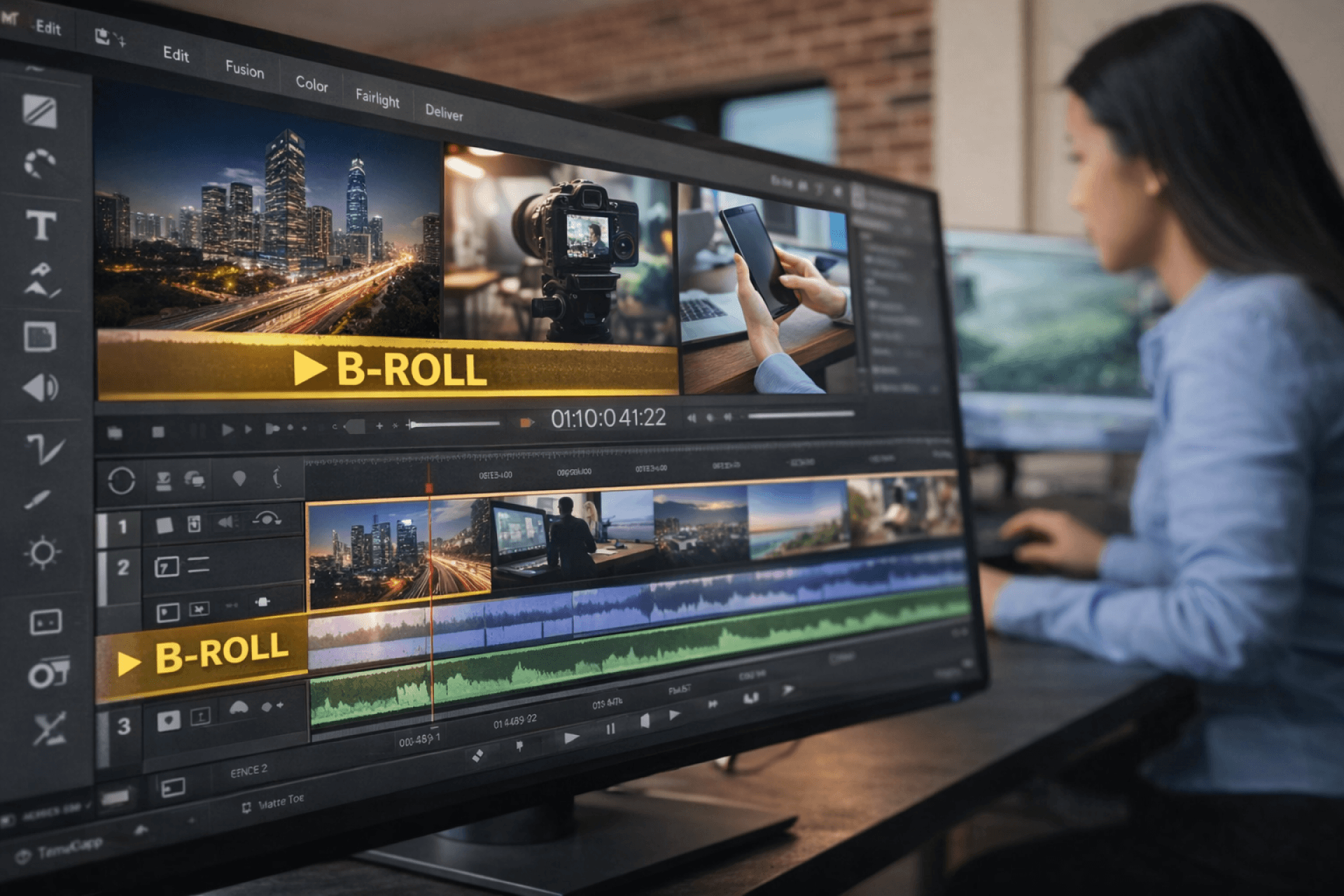
Image credit: AI-generated using ChatGPT (OpenAI)
4. Strengthening Storytelling With B-Roll
Professional videos often rely on additional footage that supports the main story.
Supplementary visuals known as b-roll provide context and help maintain visual interest. Examples include environment shots, product close-ups, or demonstration footage.
B-roll allows editors to create smooth transitions, illustrate ideas visually, and maintain viewer engagement throughout the video.
5. Improving Audio and Adding Background Music
Clear audio significantly improves the viewing experience.
Editors refine sound by balancing voice levels, removing noise, and synchronizing audio with visuals. Music can also help establish the emotional tone of a video.
Carefully selected background music adds atmosphere and supports storytelling without overpowering dialogue or narration.
6. Color Correction and Visual Consistency
Different clips may be recorded under varying lighting conditions. Color correction ensures that footage appears consistent throughout the final video.
Editors typically adjust:
Brightness
Contrast
White balance
Color saturation
These adjustments improve visual clarity and create a cohesive look across scenes.
7. Exporting the Final Video
Once editing is complete, the project is exported using settings that match the platform where the video will be published.
Editors consider factors such as:
Resolution
Frame rate
Compression settings
File size
Optimizing export settings ensures that videos maintain high quality while loading efficiently across devices and platforms.
Video Editing Tools Beginners Can Explore
Many editing tools allow beginners to practice essential techniques while learning the fundamentals of video production.
Some platforms provide simple interfaces designed for quick editing tasks, while others offer advanced features for professional projects.
For beginners experimenting with editing workflows, entry-level video editing tools often include features such as trimming clips, adding transitions, and incorporating music tracks. Tools such as InShot video editor for PC provide accessible interfaces that help new editors practice essential techniques and understand how timelines, layers, and effects work together.
As editors gain experience, they often explore more advanced software that offers expanded editing capabilities, color grading tools, and more precise control over audio and visual elements.
Career Opportunities in Video Editing
Video editing skills open doors to a wide range of technology-driven careers.
Professionals with editing expertise work in fields such as:
Digital marketing
Product education
Media production
Social media strategy
Online learning platforms
Many editors also build freelance careers, collaborating with companies around the world to produce tutorials, marketing videos, and branded content.
The Growing Role of Women in Creative Technology
Creative technology fields continue to expand as digital communication becomes central to modern business. Video production, design, and multimedia storytelling now play a major role in how companies present ideas and connect with audiences.
For women exploring careers in technology, creative digital roles offer opportunities to combine technical knowledge with creativity and strategic thinking.
Professional communities such as the WomenTech blog highlight stories, insights, and career journeys from women across the global technology ecosystem, helping inspire the next generation of innovators and creators.
Final Thoughts
Video editing combines technical precision with creative storytelling, making it one of the most dynamic skills in today’s digital landscape.
By understanding the editing workflow, experimenting with tools, and developing a strong portfolio, aspiring editors can create impactful video content across industries.
As organizations continue to invest in digital communication, skilled video editors will remain essential in shaping how ideas are shared, products are explained, and stories are told in the modern technology ecosystem.