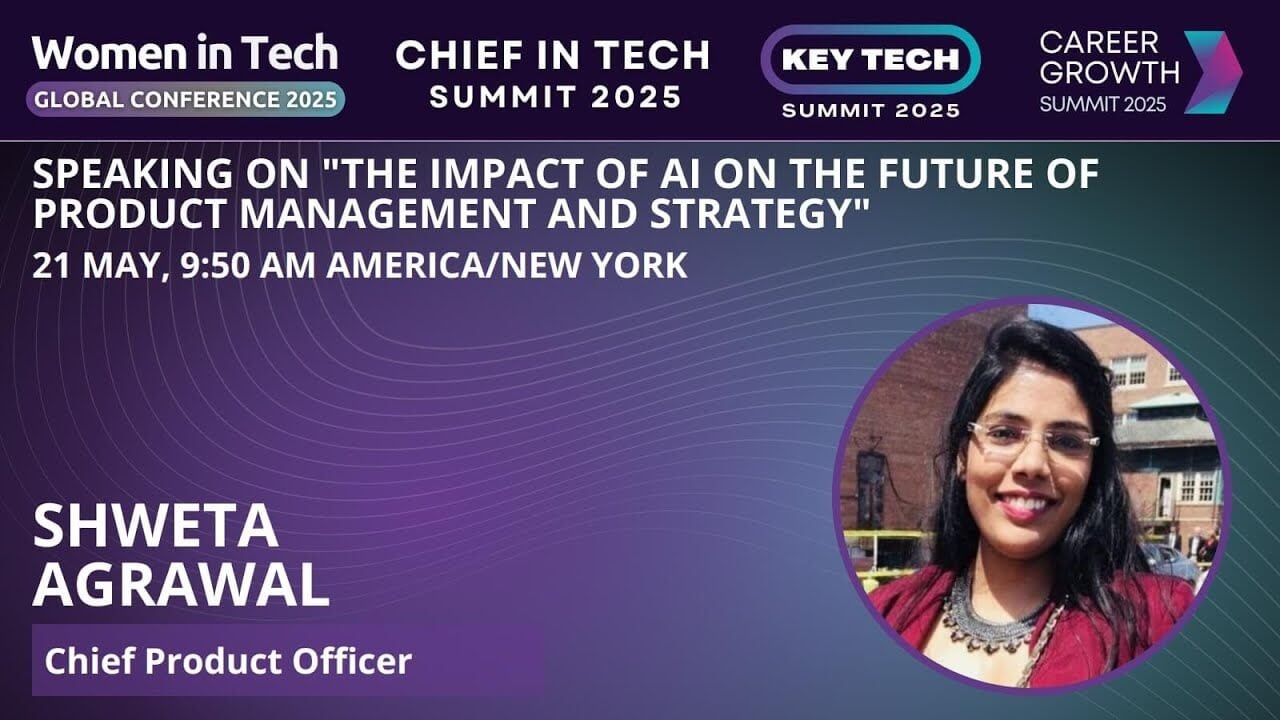
I suoi senior leader ora ricevono gli aggiornamenti di progetto come podcast AI di cinque minuti
Invece di inviare ai senior leader una presentazione corposa, carica le slide in NotebookLM e invia un breve podcast da ascoltare mentre vanno al lavoro. Puja Sharma, Staff Technical Program Manager in Intuit con un passato da giornalista, sostiene che l'AI non toglierà il lavoro ai TPM, ma non saperla usare potrebbe farlo. Quali prompt, strumenti e automazioni restituiscono davvero ore preziose a una program manager?
Scopra cinque framework per i prompt e i workflow AI che una TPM usa per report, note delle riunioni e slide
Puja Sharma, Staff Technical Program Manager in Intuit, sostiene che l'AI generativa non sostituirà i technical program manager, ma ne potenzierà il lavoro, e che a rischio sono i TPM che non imparano a usarla. Illustra gli elementi di un buon prompt e cinque framework di prompting, poi mostra workflow per status report, note delle riunioni, podcast con NotebookLM e automazioni con Apps Script, senza dover scrivere codice in prima persona.
“Penso di no, ma se non si sa usare l'AI, questo potrebbe essere un problema per molti di noi.”
“Perché una cosa che ho iniziato a fare è che ho smesso di scrivere i miei prompt e vi mostrerò come.”
What you will learn
Strutturare i prompt con persona, task, contesto e formato per ottenere risultati più precisi e utilizzabili.
Applicare i framework RTF, TAG, BAB, RISEN e CARE a richieste sia semplici sia complesse.
Redigere status report settimanali a partire dagli stati dei ticket Jira e riordinare le note delle riunioni con assistenti AI.
Usare NotebookLM per trasformare una presentazione in un breve podcast di pre-lettura per i senior leader.
Automatizzare RAID log, promemoria via email e presentazioni con codice Apps Script generato da Gemini, invece di scriverlo da sé.
Details
Level
Intermediate
Format
Talk
Technical depth
Introductory technical
For
Mid-career, Senior individual contributor, Early career
Length
26:40
Published
July 2025
Questions this talk answers
L'AI sostituirà i technical program manager?
Secondo Puja Sharma no. L'AI potenzia i TPM sollevandoli dal lavoro più noioso, e il vero rischio riguarda chi non impara a usarla.
Che cosa rende efficace un prompt?
Un prompt specifico che restringe le possibilità, costruito su quattro elementi: persona, task, contesto e formato. Non servono tutti e quattro, ma usarne alcuni aiuta.
Quali framework di prompting aiutano i TPM a strutturare le richieste?
RTF (ruolo, task, formato) funziona per richieste semplici, TAG (task, azione, obiettivo) chiarisce l'obiettivo e BAB (before, after, bridge) descrive lo stato attuale e quello desiderato. RISEN e CARE sono adatti a compiti complessi che richiedono contesto o vincoli dettagliati.
Come può un TPM automatizzare il lavoro senza saper programmare?
Chiedere a Gemini o ChatGPT di generare il codice e incollarlo in Apps Script. Così si possono automatizzare RAID log, promemoria via email e perfino presentazioni create dai documenti di progetto.
Come può NotebookLM ridurre le riunioni di aggiornamento?
Caricare una presentazione in NotebookLM, chiedere di creare un podcast di meno di sei minuti e inviarlo via email ai senior leader come pre-lettura. La riunione può così concentrarsi sulla discussione, o essere del tutto evitata.
L'AI non sostituirà i TPM, ma non usarla potrebbe (81 s)
Cinque framework per i prompt che ogni TPM può usare (83 s)
Sostituire le presentazioni di stato con podcast AI di cinque minuti (52 s)
And I am here today to chat with you about how we can supercharge our program management and use practical AI for technical program managers. So before that, as we get into the mix of things, I want to give you a quick intro. You all must have seen what my background is. And if you haven't, I'm happy to plug in my LinkedIn profile here, but I am not going to give you the spiel about how I've been a TPM for 12 plus years, as well as how I have been around the block at companies like Google, Amazon, DocuSign, Chime, as well as now Intuit.
But I really am going to talk to you about what I've lived, loved, and learned. And I'd love for you all to tell me the same in the chat as well. Like I said, I really am hoping for this to be an interactive session. And as a TPM, yes, I did ask AI to give me a good icebreaker.
And this stuck with me. It has stuck with me for a couple of months now. I love talking about the personal aspect of how us TPMs can be the glue between our stakeholders and our partner teams. So this is my live, loved, learned for the past year. I'd love to hear from you as well what your lived, loved, learned is. And I'm going to talk a little bit about that as I dive into our session. So that's my family. My two girls who are 11 and 8, my husband and my dog. My dog is on priority number one. He's a four-year-old yellow lab named Kobe.
My daughters and my husband, we all are huge sports fans. My daughters play a lot of softball, soccer. They play travel competitive sports. So that's pretty much where I live on the sports field. You'll see them here in a flag football stadium. And yes, they were playing flag football. I've loved to decompress, de-stress in the past one year and have taken up pottery.
So that's something for you all to know about me and learned. This was the first year that I took a solo trip and this has been a game changer for me. It helped me think. I used AI once again to generate an itinerary to go to Mexico City and that was super awesome for me. And that's what I learned that don't wait too long to take that solo trip and really, you know, just get away away from the family or just away from your day to day and just take that trip.
So that's my lived, loved, learned. And I'd love to love to learn about you all as well. Drop me a note on LinkedIn or any anywhere in the chat as well. All right. Let's get into how we can supercharge as TPMs. Being a TPM, I feel like one thing that I do want to call out as a part of this session is that everywhere you go, you are thrown a tool at you.
ChatGPT, Gemini, Cloud AI, everything has AI thrown to you. And as a program manager or TPM, companies now have craft skills and have requested AI as a skill set in most jobs for technical program managers as well. In cases like these now, how do you supercharge your program management and practical ways of thinking as an AI TPM as well?
So let's start with the undeniable impact of AI. It's no longer a buzzword. It's a powerful co-pilot for TPMs. And AI isn't here to replace us. I've had multiple conversations with my peers in the hallway, but to really augment our capabilities as technical program managers. as we are the linchpins and the glues between our stakeholders, free up time from tedious tasks of drafting multiple status messages and enable us to focus on the strategic high-value work that only humans can do.
And the future does belong to TPMs who embrace and leverage AI. I often tell my peers and had a conversation this morning with my team that in a few years, we all discuss that, oh, will AI take over our job as a program manager? I think no, but if you don't know how to use AI, that may be a concern for many of us. All right, so what are we going to cover in this session? AI tools and tricks that make life easier for me as a program manager. I would love to start off by talking about prompting techniques which have really helped me and tips for a program manager on how I leverage prompts. Practical use of chat agent tools like Gemini, Cloud, as well as Notebook LM really leverage the use cases that
we can use as TPMs and the AI tools for summarization, data extraction, content generation, and automation, and explore relevant PGM use cases, which have really helped me. And I'd love to share one or two of those use cases. This is not a coding session. So I just want to show you ways on how we as TPMs, despite not having a very technical background, can also leverage these tools to become a little more technical. I know that there are very diverse technical program managers. I myself have a communications degree and was a journalist in the past and have learned on the job where I was expected to code in certain roles as a TPM back at Amazon. And I feel like back then, if I would have had these tools to my advantage, it would
have been really helpful to me. So let's dive right into this. I want to start off by what is a prompt. When the AI wave started as TPMs, it was a little jarring to begin with. How do you prompt? How do you get chat GPT to give you the best output? And I feel like as a TPM, I'd love to see show you ways and frameworks that have worked for me. Because one thing that I have started to do is that I have stopped writing my own prompts and I'll show you how. And one thing that we should really realize is that prompt is nothing but questions. These are questions that you ask any chat assistant can include keywords like code or even references to other files such
as Google's, Google Docs or PDFs. And there's no special skills required per se, but there's an element of art to creating good prompts. And I'd love to share that with you. So the goal of the prompts as we go through is that there are four key tasks that we can achieve with any AI tool that helps generate prompts or has a chat feature in it. Think about Gemini or ChatGPT.
I'd love to hear in the chat, what is the first instinct? If you have to write a status summary, what is the first instinct and first tool that you may use? And I'm going to also plug in a couple of tools that have helped me. If you want to leverage them during this session, please feel free to use those and let me know what you feel.
But my first instinct when I'm writing a prompt is I write a question and anything that I'm going through. So you have to think about this, like whenever you send a prompt, it should help you write, create and draft content, help you organize with more powerful analysis of charts and data. That's what I would be looking for.
Help you visualize, create images. I would look for that if I'm creating slides and help you navigate that goes beyond a Google search. That's the key. And that's what you would be looking for in a prompt. All of this, of course, focusing on the security of your data with any chat assistant or any other chat-based AI. So once we've thought about the goal of the prompt, I'd like to get into key elements of writing a prompt.
And this is just a recap of how you would be writing a better prompt versus something that you would be giving an input to. The better the prompt, the better the quality of the output. We all know that. And the key to a good result is a prompt that is specific about what you want and gives enough information to constrain the endless possibilities.
There are four main areas to consider when writing an effective prompt. You don't need to use all four, but using a few will definitely help. Persona, that's the first one. Tell your AI agent who you want it to be. For example, I would say I'm a journalist. act like my Spanish teacher, be my expert copywriter, act like a full-stack developer, you're my career coach, and so on.
Explain the task. Start with verb to describe the task. For example, outline a blog post, brainstorm a few ideas, write me a recipe, code a web page, and so on. Give the chat agent a context. I feel that every time I become a little more personable to the chat agent, it gives me a better output. And once again, why I'm diving right into prompts is because it'll help you understand the use cases that TPMs use on a daily on how it can really help you become more effective with that.
When it comes to context, coming back to this, tell your chat agent who the output is intended for. For example, at an undergraduate level, for a company executive, I often use words such as C-level executive, senior leadership team. And for those new to the topic, easily understandable to the executive audience. Talk about the format that you want your prompt to be in.
Provide details for your desired output. For example, format your answer in bullets. That's something that I use very often because as TPMs, the summaries that we need to come up with, if I am able to get it in bullets, any accomplishments that I want to summarize from large documents, in a numbered list is something that I use in my prompt often and show these in a table or use poetic language, make it crisper. So the format is something that would be really helpful and important in a prompt as well. I'm going to dive right into prompting frameworks.
So once again, the key to getting the most out of Gemini or any other chat tool is effective prompting. And to help structure your requests, I would love to introduce five frameworks which have helped me as a technical program manager tremendously. Think of these as mental checklists and we go from there and you can leverage any one of those when creating prompts. RTF is great for simple direct requests. As you can see, RTF stands for role task format. Tag helps clarify the objective, which is task, action, and goal. Clearly define the specific task, the action, and the goal. BAB, before and after bridge. This is something I love to use. Describe the situation before the desired state, after, and ask the AI agent to build the bridge. And RISN and CARE are
excellent for more complex tasks when you need to provide detailed instructions, context definitions, or constraints. I'd love to hear in the chat, is anyone using Notebook LM? And I'll tell you why I'm asking. Notebook LM is a great feature. Perfect. I see a lot of yeses. Risen and Care are something that we can really use with Notebook LM with the multiple data sets.
If you know what I'm talking about, Notebook LM has a feature where you can add 300 data sets into a notebook and ask them for various things that you can ask the notebook to do. And that is something which is really helpful. Eulalia, sorry, if I said your name correctly, Notebook LM is a Google Workspace tool and it is another add-on to the Google Workspace like Gemini.
Notebook LM is a really great way to create instances for something when you have multiple data sources and prompt it to give you outputs for whatever you are desiring it to do. And I'll go into a little more details. Notebook LM is one of my favorite tools. As I get into the session, you'll see that I have some use cases for Notebook LM.
All right, just keeping time in check. I want to keep moving forward. Like I mentioned and I promised, these are the prompting frameworks which have worked really well for me. RTF, TAG, BAB, RISN, and CARE. These have been tried and tested. Please drop me a message on LinkedIn if you try any of these frameworks and how they have helped you. I'd love to hear.
Getting into use cases for TPMs. This is once again what we could leverage as TPMs. Task automation and reporting. These are some of automate repetitive administrative tasks like generating progress reports, updating project documentation, tracking basic task status. I'm not going to go too much into detail. And once again, happy to catch up with any one of you at a later stage on how I'm leveraging these tools.
But what I want to just highlight are some of our pain points as PGMs. Many project management tools are out there. There's Asana, there's Jira, there's Wrike, Monday.com. There is no one-stop shop or there is no one tool that fits all. And you have to pick and choose. For me specifically, Gemini is something that we use at our workspace.
And it has worked wonders to be able to auto-generate reports, update docs, get status summaries. Experiment with these features. I would highly recommend you all as TPMs to experiment with these features. Even simple automations on Slack or Jira can save hours. And once again, we have chat agents available to our advantage. We don't have to write code.
Don't go down the path of writing code for three hours to be able to automate these solutions. Ask Gemini what you're looking for. generate code, plug it into Apps Script or any of these tools, and you'll get a really good output. Like I mentioned, instead of spending hours creating weekly status reports, I now use some of these tools to generate a draft based on ticket statuses within Jira.
As TPMs, we are all using Jira, which is a tracking tool for engineers to track tickets. It allows me to refine at strategic insights within minutes on what's happening within my teams. All right. Another one is automating some of these use cases. And the part of automating and reporting is something which we do day in, day out.
What it does is we use Zoom AI a lot. You all must have used the Zoom AI transcript. But I have been spending hours trying to edit those Zoom AI transcripts and looking at the quality of them. I know that every AI tool is in its moving from inception to evolution phase. But AI tools can these days record, transcribe, summarize meetings, highlight key decisions, and it makes me feel, wow, this is like a dream technical program manager, which is already in a meeting, like a Puja 2.0.
And tools like Firefly AI, Otter AI, or even features in Google Meet these days, Google I.O. just happened and is still happening. And they did announce a feature where you could transcribe different languages, take notes for different languages as well, which was super awesome. So just to make sure that we can scale efficiently as TPMs, managing large portfolios, would highly recommend you all to go and explore some of these.
One tried and tested method which has worked for me is just taking notes manually and then just plugging them into Gemini and saying, give me a smoother flow, give me a better flow, grammatically correct this. I don't have to be too diligent within meetings, and I can listen more and take notes less if I have any of these tools available.
I'll also show you how I'm leveraging Zoom AI recordings to actually use AI to make my life a lot easier and generate action items within five minutes. All right. I know we're in a time crunch. I'm going to go into my favorite use cases. So my favorite use cases, I talked about Notebook LM, and I would love to show you what I do with Notebook LM.
So once again, please look into Notebook LM. I'm going to try and plug in a link just on the fly so that all of you have it. But if you search up Notebook LM, it is available on the Google website, but I'm going to try and plug it in over here. And I see a lot of comments here as well that ClickUp is a great tool.
Yes, I have tried ClickUp. It's a great AI note taker, and I love it really a lot. But I just plugged in Notebook LM. Take a look at that, folks. Notebook LM has a podcast feature, which I am trying to incorporate into our team so that I can eliminate meetings altogether. There are some meetings which just happen for the sake of it.
And as TPMs, we present so many updates to our senior leadership. Their calendars are super, super busy. And for critical updates, yes, I understand if there are a lot of questions, but there is a feature in Notebook LM where you can send a pre-read to the senior leadership team through email. And it really helps in terms of creating five-minute podcasts.
The senior leader, I've been doing this a lot. Our senior leadership team listens to it on the way to work. I emphasize the importance of how great it would be if they listen to the podcast ahead of time and focus on the conversation versus sending a large deck for them to read. And yes, the end goal would be let's eliminate meetings, give everyone focus time back.
So I am going to show you as we get into it, let's listen to the podcast. I created a podcast for my specific, I'm going to quickly show you all, give me a second. Thank you. Hi everyone, I'm back. Sorry about that. Can you all hear this now? So once again, I created this podcast, just pretty much plugged in the slide deck that I was showing you all.
Can you all hear me, though? Okay. Let me try and see. Maybe I'll just plug in this link and try and see what that looks like. in terms of, you know, within LinkedIn. I apologize about that. But I'm going to go back to my screen share. Apologies. Okay, let's go back to the screen share. I'm going to try and send the link to the podcast or plug in a video.
But if you all go to Notebook LM, On the side menu, there's a podcast feature. And there's also a way for us to, I'm going to show you what that looks like. This is the UI, what it looks like. So I plugged in the slide deck. There's a link to the podcast. There's, I plugged in this link to the slide deck that I was showcasing you all.
Gave it a prompt to create a podcast of under six minutes. And you can listen to the podcast. You can also say, keep it warm, keep it less formal, and prompt it in a way which will help you achieve your goal as a TPM when you send it to the senior leadership team. Can I get a quick thumbs up that you all can hear me now?
I know there was a little glitch in terms of not being able to hear the podcast, and I apologize about that. All right, I'm going to move on to the next use case. Once again, time is of a sense here. But one of the other use cases that has really worked well for me is using Apps Script.
Can I get a quick show of hands how many of you all know how to use Apps Script? It's an extension within Google Sheets, which is really helpful for RAID log generation. And as a TPM or a program manager, you would know what RAID stands for. If you are not familiar with Apps Script, I would highly recommend you to go and download Apps Script plugin in Google Play Store.
It helps to automate raid logs, which are risk decision logs, automate email reminders, and even create slide decks for real. And one thing that has helped me is I have highlighted the steps. You can start a new chat with Google Gemini, ask to create a slide deck using the project documents, ask Gemini to write the app script, run the script within Apps Script and change the theme of the slide and you are able to apply a layout which will give you a slide deck within minutes. This can also be used for raid logs as I said you can use Apps Script to really just change things around when it comes to just highlighting some of the areas and just plugging in code and generating and automating some of your
requests. I'm happy to send screenshots of what Apps Script looks like, but if I zoom in a little over here, you're able to see that it is a plugin within Google, and it can give us many benefits when it comes to getting AI generated, as well as AI automated images, as well as slide decks or read logs. I do want to say it could sound a little jarring that this is a lot of code right here, but I have not coded any of this. I have just used Gemini to create code, plug it into these tools, and then automate further. So use your chat agents, ChatGPT, Gemini, to generate code for you, to generate automations for you, which is super helpful. I also want to specify and mention
this, that back in the day, once again, as I mentioned, you don't have to write code when it comes to Slack API integrations or getting Jira integrations into Sheets or Smartsheet integrations into Notebook LM. Use your chat agent. Expect your chat agent to be that leverage between you and your team so that you can automate for them.
So these are some of my use cases. And then the last one is Summarize. We all know this. This is not really a program management use case any longer. Everyone is using this across AI tools. I am a 15 minutes, every 15 minutes AI user, and I use the Summarize feature everywhere. It helps me up-level my content, makes my content super useful and crisper.
Any email that I write, Grammarly AI is a great tool as well. But any of the chat assistants can help you summarize your communication, create communication for you. And that has been super efficient for me as a TPM. Once again, don't forget the prompt framework and how you can leverage all of that into some of these tools as well.
Transcribed automatically; names checked against the speaker record. Select a time to jump there.
Article based on this talk
Come possono i technical program manager usare la GenAI senza scrivere codice?
Puja Sharma di Intuit presenta i framework per i prompt e i workflow AI quotidiani che le fanno risparmiare ore come TPM.
In breve
Puja Sharma, Staff Technical Program Manager in Intuit, sostiene che l'AI generativa non sostituirà i technical program manager (TPM). Ne potenzierà il lavoro, e a rischio sono le persone che non imparano mai a usarla. In questa sessione spiega cosa rende efficace un prompt, presenta cinque framework di prompting su cui fa affidamento e illustra i workflow che le fanno risparmiare più tempo: status report, note delle riunioni, podcast con NotebookLM e automazioni con Apps Script. Non scrive personalmente nemmeno una riga del codice.
Punti chiave
Strutturare i prompt con persona, task, contesto e formato per ottenere risultati più precisi e utilizzabili.
Applicare i framework RTF, TAG, BAB, RISEN e CARE a richieste sia semplici sia complesse.
Redigere status report settimanali a partire dagli stati dei ticket Jira e riordinare le note delle riunioni con assistenti AI.
Usare NotebookLM per trasformare una presentazione in un breve podcast di pre-lettura per i senior leader.
Automatizzare RAID log, promemoria via email e presentazioni con codice Apps Script generato da Gemini, invece di scriverlo da sé.
L'AI come co-pilota, non come sostituto
Sharma apre con una nota personale, il suo "vissuto, amato, imparato" dell'ultimo anno: la vita sui campi sportivi con le sue due figlie, la ceramica iniziata per scaricare lo stress e un primo viaggio in solitaria a Città del Messico, con un itinerario pianificato grazie all'AI. Passa poi a ciò che i TPM affrontano oggi. Gli strumenti AI arrivano da ogni direzione e molte offerte di lavoro per TPM indicano ormai l'AI tra le competenze richieste.
Secondo lei l'impatto dell'AI è innegabile, ma non rappresenta una minaccia per il ruolo. "Non è più una parola di moda. È un potente co-pilota per i TPM." (3:32) Libera i program manager dalla stesura di un messaggio di stato dopo l'altro, così possono concentrarsi sul lavoro strategico che solo le persone sanno fare. Quando i colleghi le chiedono se l'AI prenderà il posto del program management, la sua risposta è diretta: "Penso di no, ma se non si sa usare l'AI, questo potrebbe essere un problema per molti di noi." (4:05)
Sottolinea inoltre che i TPM provengono da percorsi molto diversi. Sharma ha una laurea in comunicazione, ha lavorato come giornalista e ha imparato a programmare sul lavoro in Amazon. Racconta che questi strumenti all'epoca l'avrebbero aiutata molto, ed è per questo che presenta la sessione come adatta a chi non programma.
Cosa rende buono un prompt
Nella sua forma più semplice, spiega Sharma, un prompt è solo una domanda. Può includere parole chiave, codice o riferimenti a file come Google Docs o PDF. Non servono competenze particolari, ma c'è un'arte. Un buon prompt dovrebbe aiutare a scrivere e redigere contenuti, organizzare e analizzare dati, creare elementi visivi e trovare risposte che vanno oltre una ricerca su Google, mantenendo al contempo i dati al sicuro.
Scompone un prompt efficace in quattro elementi. La persona dice all'AI chi essere. Il task inizia con un verbo, come delineare, fare brainstorming o scrivere. Il contesto indica a chi è destinato il risultato, per esempio un dirigente C-level o un team di senior leadership. Il formato definisce la forma del risultato, come elenchi puntati, un elenco numerato o una tabella. "Migliore è il prompt, migliore è la qualità del risultato." (8:08)
Fin dall'inizio fa anche un'ammissione audace: "Perché una cosa che ho iniziato a fare è che ho smesso di scrivere i miei prompt e vi mostrerò come." (5:45)
Cinque framework per strutturare le richieste
Per rendere il prompting ripetibile, Sharma presenta cinque framework che l'hanno aiutata molto come TPM. RTF (ruolo, task, formato) è adatto a richieste semplici e dirette. TAG (task, azione, obiettivo) chiarisce l'obiettivo. BAB (before, after, bridge), uno dei suoi preferiti, descrive la situazione attuale e lo stato desiderato, poi chiede all'AI di costruire il ponte tra i due. RISEN e CARE servono per compiti più complessi che richiedono istruzioni, contesto o vincoli dettagliati.
"Considerateli come checklist mentali, partiamo da lì, e potete sfruttarne uno qualsiasi quando create i prompt." (10:36) Collega i framework più complessi a NotebookLM, lo strumento Google che definisce uno dei suoi preferiti, in grado di lavorare su molte fonti di dati in un unico notebook.
Automatizzare report e note delle riunioni
Nessuno strumento di project management soddisfa ogni esigenza, osserva Sharma. I team scelgono tra Asana, Jira, Wrike e Monday.com. Nella sua azienda, Gemini genera automaticamente report, aggiorna documenti e produce sintesi di stato. Invece di passare ore sugli status report settimanali, genera una bozza dagli stati dei ticket Jira e in pochi minuti la rifinisce trasformandola in insight strategici. Il suo consiglio è sperimentare, perché anche semplici automazioni su Slack o Jira possono far risparmiare ore. "Non imboccate la strada di scrivere codice per tre ore per riuscire ad automatizzare queste soluzioni." (14:35)
Per le riunioni cita le trascrizioni di Zoom AI, Otter, Fireflies e le funzioni di Google Meet che registrano, trascrivono, sintetizzano ed evidenziano le decisioni chiave. Il suo metodo collaudato è più semplice: prendere appunti sommari e poi chiedere a Gemini di rifinirli e correggerli. "Non devo essere troppo scrupolosa durante le riunioni, e posso ascoltare di più e prendere meno appunti se ho a disposizione uno di questi strumenti." (16:38)
Podcast con NotebookLM e automazioni con Apps Script
Il suo caso d'uso preferito è la funzione podcast di NotebookLM. Carica una presentazione, chiede un podcast di meno di sei minuti e può regolarne il tono, per esempio più caloroso o meno formale. Poi lo invia via email ai senior leader come pre-lettura, e loro lo ascoltano mentre vanno al lavoro, così la riunione può concentrarsi sulla discussione invece che su una lunga presentazione. "E sì, l'obiettivo finale sarebbe eliminare le riunioni e restituire a tutti tempo per concentrarsi." (18:47) Un problema audio durante la diretta ha impedito al pubblico di ascoltare il podcast di esempio, ma ha mostrato l'interfaccia.
Il suo secondo preferito è Apps Script, l'estensione di Google Sheets. Lo usa per RAID log, promemoria via email e perfino presentazioni. I passaggi: avviare una chat con Gemini, chiedere una presentazione basata sui documenti di progetto, far scrivere lo script a Gemini, eseguirlo in Apps Script e applicare un tema. "Voglio dire che potrebbe sembrare un po' spiazzante vedere tutto questo codice qui, ma non ne ho scritto neanche una riga." (24:25) Applica lo stesso approccio alle integrazioni con le API di Slack, Jira e Smartsheet.
Chiude con la sintesi, che descrive come non più solo un trucco da program management. Si definisce un'utente AI "ogni 15 minuti" che si affida ad assistenti chat e a strumenti come Grammarly per rendere la propria comunicazione più incisiva, e ricorda ai TPM di portare con sé i framework per i prompt.
Guarda il talk
GenAI for Technical Program Managers, Puja Sharma, 27 minuti: https://www.womentech.net/video/genai-technical-program-managers-puja-sharma
Sulla speaker
Puja Sharma è Staff Technical Program Manager in Intuit con oltre 15 anni di esperienza in program management, sviluppo prodotto e comunicazione. Ha lavorato in Chime Financial, Amazon, Google e DocuSign. In DocuSign ha ricevuto un riconoscimento per la gestione del programma della funzionalità eWitness, premiata come tecnologia dirompente dell'anno.
Domande a cui risponde questo talk
L'AI sostituirà i technical program manager?
Cosa rende efficace un prompt?
Quali framework di prompting aiutano i TPM a strutturare le richieste?
Come può un TPM automatizzare il lavoro senza saper programmare?
Come può NotebookLM ridurre le riunioni di aggiornamento?
Bozza redatta con l'AI dalla trascrizione del talk. In attesa di revisione editoriale.
Frameworks and ideas mentioned
RTF (role, task, format)
TAG (task, action, goal)
BAB (before, after, bridge)
RISEN
CARE
Prompt elements: persona, task, context, format
RAID log
Resources mentioned
NotebookLM
Gemini
ChatGPT
Claude
Apps Script
Zoom AI
Otter.ai
Fireflies.ai
Google Meet
ClickUp
Grammarly
Jira
Cite this talk
Puja Sharma. "GenAI for Technical Program Managers." WomenTech Network, 2025. https://www.womentech.net/video/genai-technical-program-managers-puja-sharma