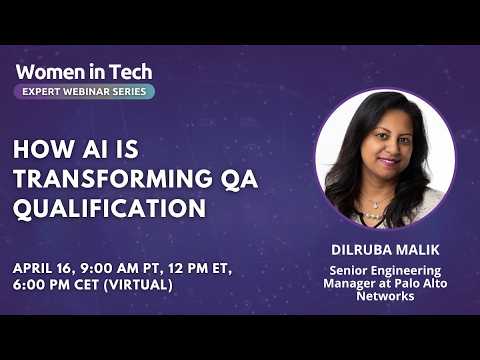
How AI Is Transforming QA Qualification by Dilruba Malik
24:322026
AI drafts test cases in about five minutes, but humans still have to check them
Reading specs to find edge cases used to take a day or two, and now AI tools have test cases ready in about five minutes. Dilruba Malik, whose team's automation failure rate dropped drastically after adopting self-healing tests, warns that AI still hallucinates and can drift from coding guidelines. So which metrics prove it is helping, and where do QA engineers still have to step in?
See where AI fits in QA, from self-healing locators to the metrics that prove its value
Dilruba Malik traces how QA has moved from waterfall to agile to AI-assisted testing. She shows how AI tools generate test cases from requirements, plan automation before code is merged, heal broken locators, triage failures and choose which tests to run. She also covers the metrics to track and challenges such as hallucination, coding standards and skills gaps, and argues that AI multiplies what QA engineers can do rather than replacing them.
“So we are just having a helping hand, not necessarily a replacement of ourselves, right?”
“So I'm not saying that we are reducing cost by reducing resource. I'm saying we are reducing cost by reducing manual effort.”
What you will learn
Use AI tools such as Claude Code or Cursor to turn PRDs, functional specs, mockups and Jira tickets into test cases and edge-case scenarios.
Plan test automation from wireframes before code is merged, so suites are ready to run as soon as the feature lands.
Apply AI to failure triage, self-healing locators and change-based test selection to cut regression time and maintenance.
Track metrics such as regression time, coverage, escaped defects and triage speed to show what AI is adding.
Manage the risks of AI in QA: hallucinations, drift from coding guidelines, compliance on shared code and the team's skills gap.
Details
Level
Intermediate
Format
Talk
Technical depth
Practitioner
For
Early career, Mid-career, Senior individual contributor
Length
24:32
Published
April 2026
Questions this talk answers
How does AI change QA test planning?
QA can feed PRDs, functional specs, UI mockups and Jira tickets into an AI assistant that drafts test cases and edge cases in minutes instead of a day or two. The QA engineer then checks whether the AI interpreted the requirements correctly.
What is self-healing test automation?
When developers change the DOM or a locator without telling QA, AI can read the DOM from the UI and update the test in flight instead of letting it fail. The speaker says her team's failure rate dropped drastically after adopting this.
Which metrics show whether AI is helping a QA team?
Faster testing and release cycles, reduced regression time, higher coverage with fewer dropped edge cases, fewer defects in the field, faster failure triage, lower maintenance and cost efficiency. Each team's exact metrics will differ.
What challenges come with using AI in QA?
Data quality and model accuracy, since humans must verify AI output, plus keeping generated code within existing frameworks and coding guidelines. Teams also face a skills gap and must follow compliance policy on which code can be shared with AI tools.
Will AI replace QA engineers?
The speaker sees AI as a multiplier rather than a replacement. Because AI can hallucinate, human eyes still have to review its output.
AI drafts test cases in minutes, QA verifies (70 s)
Self-healing tests when the DOM changes (83 s)
Will AI replace QA? A multiplier, not a replacement (50 s)
Speaker 1: So this is the agenda for today. I'll go directly to the topic. I'm sure everybody is excited to learn about how AI is transforming QA. So let's dig deeper. As I show in the agenda, I want to make sure we see the transition, right? How we used to be and how currently most of the companies are and where we are heading toward, right? So yeah, traditional QA, as you know, it's a very specific boxed timeline and boxed effort, meaning it's a sequential task, right? So you have a requirement stage, QA involved in early stage. They start planning for testing. They start writing development after that. So everything is happening in sequence, right? When PM is doing requirement gathering, developer started designing the product and everything,
QA in parallel start doing the test planning. Then we do the test case development and we do the environment setup. We do the test execution. Then we do the testing, find a bug, and then we close the cycle, right? That was the traditional QA method. And then we came to more faster agile methodologies, right? So it's more modern and we are doing exactly similar thing, but it's more in fast pace environment, I would say. So we are doing exactly similar thing, doing the testing, developing, you know, planning, designing, doing the deployment, doing the verification, finding bugs, but it's in more faster ways. So in traditional QA, waterfall model, we had like, let's say one month QA is going to test, right? It was a schedule timeline that we can go through. In agile, in the other world, depending
on the company, how long is your sprint? Based on that, how fast or slow the sprint will be, right? In our case, we have one week sprint. So all this iteration is happening weekly basis, right? So it's much faster, but it's similar process that we used to do in traditional. Then now we are in AI area, right? So we are doing those similar kind of activities, but there are a lot of help now, right? Before QA have to spend time that, okay, we are doing the test planning, we are asking, we are checking PRD, we are checking FS document to figure out, you know, where we start writing the test cases, making sure all the edge case scenario is covered, which environment, how we are doing and all this thing.
We have to spend time on writing the test plan and everything. With AI, we have, I would say, we have an assistant who can help you with all this thing. Before test planning, maybe it will take a day or two just to come up, you know, go through all the FS, every requirement. Every design, you want to figure out boundary cases, edge cases and stuff like that. Now what we are doing using AI, let's, for example, if you are using cloud code or cursor, right?
You can fit your FS document or your PRD document or both. And then you have UI mockup, you upload those with whatever tool you are using, right? And cloud code will come up with the test cases, come up with a edge case scenario in minutes. Before we are spending time reading every line and trying to come up with those things.
Now it's become ready within a, you know, five minutes or so. And then our job is to basically check, did AI interpret whatever we are interpreting, right? If the FS document is written properly, if PRD is written properly, it should be very accurate, right? But still sometime AI hallucinate, right? So that's why we came to the picture, right? So we have to make sure we see what AI come up with, the test cases are relevant.
So the edge case scenario, the edge case scenario, the assumption, what they are doing, everything is to the point, right? So we are just having a helping hand, not necessarily a replacement of ourselves, right? So we are getting all these test cases immediately. And then we can actually plan for the automation as well. So what happened before even the code is developed, we can plan for our automation.
As I was mentioning, the wireframe or the UI mockup that UX designers are giving us, we can take the screenshot and fit it into the AI. We can actually, Cloud Code can actually plan for the automation before the code is existed, right? So the process becomes so fast. Now, before we are waiting days to write the test plan, test cases, finding bugs, you know, executing. Now we can be even prepared before the code is much.
So we have the test cases, so we have the test cases, Cloud Code is helping us with writing the test cases, preparing for our automation, write the pseudo code, ready for it and indicating where the bug can be. And then it will create a test suite, what like after the March, we can run, execute the test suite and make sure find the results.
So that's why I show this evolution, evolution of QA testing. So now we have a basic information, then systematic understanding, then autonomous evaluation, intelligent test driving and then full autonomous QA. So when we are done previously, we finished the manual execution, we provide our feedback that our testing is done. Now we will be working on automation. Here in the other hand, we will be fully ready once we qualify, it will be ready with the automation as well.
So that is the change we are seeing in the industry. So, of course, we had some challenges, that's why we are seeing all this change upcoming, right? So before we did in waterfall model, obviously, we did most manual testing and it was very time consuming, right? Some time depends on which QA is doing what. Obviously, there were test coverage gap.
Some time we missed finding a critical bug. Then our test script was, you know, taking long time to maintain. And it was very difficult to scale. That was the challenge in traditional QA, right? Now, transforming with AI, many of those concerns are rectified. So that's why I come up with this diagram where you can see whatever we discussed early on.
This is where exactly we are seeing the transformation, right? So I'll go with each of the point in this diagram, right? So that you can press on it. AI test generation, as I was explaining, right? AI can read the PRD. AI can read the FS diagram. Even wireframe that I was talking about. If you have UX design, you can feed into that.
If you have user story, task, any Jira ticket with the details, you can feed into that. If you can feed into Jira ticket directly, you can just provide the information is in Jira and you can upload those information. It basically reduce all the manual tasks that we are doing day to day, right? It speeds up any manual intervention.
It provides consistency. And you can centrally change your test suite very efficiently, right? So that's the faster test creation part. And of course, the coverage becomes better because of, you know, it's reading directly from the PRD, directly from the FS. So it's become very, very efficient to identify the edge case scenario. So it reduces the risk. Then the, come to the predictive analytics, right?
So previously we have to go through the failure analysis to see that, okay, you know, in this feature, this part is the fragile area and flaky tests are in this area and all that. We have to, every day when we are doing failure analysis, we have to focus on those areas and stuff like that. With AI, you can actually analyze your report before a human eye look into it, right?
So AI already have all the historical data that previously this test, how many times this test case was running, how many times it passed, how many times it failed, if it failed, why it failed. Is this failure similar to previous failure or is it a brand new failure? Is it a product problem or is it a script problem?
All these things, it can predict and analyze based on how you set it up, right? And you can detect your defect early on. So that is one of the very good benefit from AI, right? And then the self-healing automation. So as QA, I think every, all of us see this like sometime DOM change, right? Locator change, developer change it and they didn't communicate with QA.
Your automation is failing. So in order to help with that, AI can, you know, self-heal. So you can use AI or cloud code or whatever AI helping tool you are using. It can actually read the DOM directly from the UI. And if there is a DOM change, the test case can be in-flight changing that new DOM instead of making the test case fail.
So it's in-flight change is possible. Before it was just the hype that, oh, we can do this, this, this. But these are actually reality in my team. Everybody's using this. Our failure rate reduces drastically after we are using AI, right? So, and then it can adapt with your UI changes. Maintenance time become very low and it improve automation stability, right?
So yeah, you can read through it. I don't have to read through it, but I'm just giving you the example where AI is helping us, right? Then intelligent test execution. Like let's say if you are in weekly sprint, right? So some features are changing and some features are not changing. So prior to AI, you have to identify, okay, which test case you want to run, which test case less risky.
So we don't have to run. But using AI help, it can determine that, oh, this feature is changing. So we'll run this suite. If it's not changing, a source code is not changing, then they don't have to run those codes. So the release become faster using all this. It can optimize the regression cycle. And you don't have to run the rerun and test cases.
It can identify which test cases are the high value test cases and where it needs to be executed. And hence test coverage, as I was mentioning, right? So AI can help us identify the gap in existing test suite, going through the failure analysis, going through the edge case scenario. You know, sometime QA deal with the information. Like let's say we don't have the data generation.
We have the test case, but when we run, we don't have enough data to validate. So AI can help us simulate that data as well. So that will give, you know, enhanced test coverage. You know, higher confidence that, you know, our product quality is better. Reduce testing time. Yeah. We mentioned that many times writing test plan to test case to automate everything become much, much faster.
And also DevOps side, right? If anything that pipeline need to be enhanced and stuff like that before, let's say we go through the YAML file and trying to fine tune which test suite to run when scheduled. Is that right? We can enhance that by using maybe we can generate the UI deployment page and it can go through all this information in UI.
You don't have to go through the YAML file. It's time consuming to figure out, you know, which build, which test suite to run and all that. It can be, you know, click and play. So, yeah, you can just do the check box, figure out from the UI and run it. And all this thing can be possible using your AI system.
Cost efficiency. Obviously, since we are doing everything faster, we are saving a lot of minimal man hour. So it optimizes resource utilization and, of course, long term QA costs, right? So I'm not saying that we are reducing cost by reducing resource. I'm saying we are reducing cost by reducing manual effort. So let's say if you have five member team, we used to do five feature per week.
Now, since we have this AI assistant, now we can do 10 feature per week. Right. So that's give us a lot more ROI. So, yeah, that's very, very cost effective. And obviously improve accuracy. We human can do a lot of human error. Very nitty gritty data driven validation, defect validation. Everything is possible using AI. So accuracy is high.
So, yeah, I just wanted to give you a snap of what type of metrics we can collect so that we know AI is actually benefiting us. Right. So, yeah, these are just the pointers. Again, every team is different. Everybody's tracking different metrics. So your metrics might be different than mine, but this is what you can see immediately how much benefit we are getting by AI.
Right. So faster testing cycle. We mentioned that many time regression time reduced quite a bit. Release cycle become faster. Test coverage increase. Less number of edge case scenario is dropped. So now you have better edge case scenario risk based scenario validation and then reduce the defect, you know, so we can identify defect in the QA duration, not, you know, in the field.
Some more, you know, faster failure triaging. Right. So as I was mentioning, right, failure analysis take hours and hours. Now using AI, you can actually provide the test report and say, figure out the historical data. You know, this test case, how many times it failed? How many times it passed? Is it a UI flakiness? Is it DOM change?
Or is it actually feature change or script change? So all these things you can figure out very, very fast. Low maintenance because we don't have to spend that much time in the triaging. We need to spend less time modifying our script because, you know, it has context, actually. And then cost efficiency because we are doing everything faster.
So it's very cost efficient now. Of course, there are challenges. Of course, when we are using AI, we have to make sure that the data quality, availability, everything is as per our requirement. Right. The model accuracy. So you ask anything to AI, it will return back some data. But is that data accurate? Human need to look into those.
Right. So if we have existing framework, we have code best coding guideline. Are they are following that? If it create different type of code base, then, you know, our existing framework become corrupted. We have to make sure that we follow what we have right now, existing guideline, existing best practices. So basically, QA skill gap. Also, another thing that I see because we used to work in different way.
Now, AI is injected. So now every QA engineer have to learn how to use AI. So that tool learning that particular, you know, using how to use cloud code, how to follow the, you know, compliance for the, you know, which code you want to share with cloud code, which are not following the company compliance policy and everything.
So those are challenges, obviously. Then, yeah, future of QA with AI. As I was mentioning right now, everybody is using integrating AI in a developer lifecycle, in QA lifecycle. So future will hold something similar. Right. So I see that a lot of autonomous testing is going on. Continuous QA strategy is changing based on that. How we are doing AI assisted development plus testing coverage.
How fast we are coming up with that. Previously, what happened that, you know, QA members are doing it manually. Then we are doing automation after the fact. And then if we have too many backlog, then we might have a contractor. They are working on the site for automation. We are only working on the manual testing and stuff like that.
Right. But in future it's everything should be going in parallel. When we are feeding into the test case generation, test case automation planning and everything using AI, we are just checking if accuracy for those model and everything. So we have more time to think about what other feature we can enhance, what existing test infra we can enhance, how to optimize that.
So we have much more creativity to work with basically. That bring me to the key takeaways. So, yeah, I'm seeing that QA is transforming QA from reactive to proactive. What does that mean? Is before we find a bug and then we react to it, we try to fix our test script and making sure if it is a feature bug, then we work with developer and try to fix it.
Update our test cases. Now it will be more proactive. Right. Before even we QA's code march to the master, it's already finding those bugs because AI is helping us on that. And then our automation become more intelligent. So it can find more hidden bug. If there is a issue with the data, it can detect and help us finding those fine tuning.
And then, yeah, obviously, QA engineers have to evolve with current time with AI skill. And, you know, it's not just efficiency part of it. It's more like it impact directly time to market customer experience, operational cost and risk reduction. Right. So I would say one thing from this session, if you take AI plus QA will be the faster, smarter and better quality deliverable for your product.
I'm sure everybody has this question in their mind that can QA testing be replaced by AI. I'm sure everybody else's mind also have the similar question that, oh, development will be replaced by AI or not. From my point of view, what I see so far in the industry, I say it will be more of a multiplier than a replacement.
Meaning it will help us do our work faster, not necessarily replacing us because if AI is hallucinating, who have to look into it? Human eyes have to be there. So we are not replaceable yet. So that's what I wanted to mention. Yeah. With that, I wanted to ask you guys if you guys have any questions.
Transcribed automatically; names checked against the speaker record. Select a time to jump there.
Article based on this talk
Will AI Replace QA Engineers? Why It Acts as a Multiplier Instead
Dilruba Malik shows how AI tools are speeding up test planning, automation and failure triage while keeping human reviewers at the center of quality.
In short
Dilruba Malik argues that AI is moving software quality assurance from reactive to proactive. AI assistants can now draft test cases from requirements in minutes, plan automation before code is merged, heal broken locators and speed up failure triage, yet QA engineers remain essential because someone has to check what the AI produces. Her conclusion is that AI multiplies what a QA team can do rather than replacing it.
Key takeaways
Use AI tools such as Claude Code or Cursor to turn PRDs, functional specs, mockups and Jira tickets into test cases and edge-case scenarios.
Plan test automation from wireframes before code is merged, so suites are ready to run as soon as the feature lands.
Apply AI to failure triage, self-healing locators and change-based test selection to cut regression time and maintenance.
Track metrics such as regression time, coverage, escaped defects and triage speed to show what AI is adding.
Manage the risks of AI in QA: hallucinations, drift from coding guidelines, compliance on shared code and the team's skills gap.
From sequential QA to an AI assistant
Malik opens by tracing how testing work has changed. In the traditional waterfall model, QA followed a fixed sequence: planning tests while product managers gathered requirements, then writing test cases, setting up environments, executing, finding bugs and closing the cycle, often within a scheduled month of testing. Agile kept the same activities but compressed them into sprints; her own team runs one-week sprints.
The AI era, she explains, keeps those activities but adds an assistant. Test planning used to take a day or two of reading every line of the product requirements document (PRD) and functional specification to find boundary and edge cases. Today a team can feed those documents and the UI mockups into a tool like Claude Code or Cursor and receive test cases and edge-case scenarios almost immediately.
"Now it's become ready within a, you know, five minutes or so." (4:24)
The QA engineer's role shifts toward verification: checking whether the AI interpreted the requirements correctly and whether its assumptions hold. Because AI still hallucinates, Malik frames it as support rather than substitution.
"So we are just having a helping hand, not necessarily a replacement of ourselves, right?" (4:59)
She adds that screenshots of UX wireframes let AI plan automation and write pseudo code before the feature exists, so a test suite is ready to run once the code is merged.
Where AI changes the testing workflow
Using a diagram, Malik walks through the areas where she sees the clearest transformation:
AI test generation. PRDs, specs, wireframes, user stories and Jira tickets become inputs, reducing manual work, improving consistency and surfacing more edge cases.
Predictive analytics. With historical data on how often a test ran, passed and failed, AI can tell a new failure from a repeat one, and a product problem from a script problem, before a person reads the report.
Self-healing automation. When developers change the DOM or a locator without telling QA, AI can read the DOM from the UI and update the test in flight instead of letting it fail.
Intelligent test execution. In a weekly sprint, AI can detect which features changed and run only the relevant, high-value suites, which shortens regression cycles.
Enhanced coverage. AI identifies gaps in existing suites and can simulate test data when there is not enough to validate a case.
DevOps support. Instead of tuning YAML files to pick which suites run on which build, a team can generate a simple UI with check boxes.
She stresses that none of this is speculative for her team, whose automation failure rate dropped sharply after adopting these practices.
"Before it was just the hype that, oh, we can do this, this, this. But these are actually reality in my team." (11:57)
On cost, she draws a careful line. Her illustration is a five-person team that used to deliver five features a week and could deliver ten with AI assistance.
"So I'm not saying that we are reducing cost by reducing resource. I'm saying we are reducing cost by reducing manual effort." (15:29)
Measuring the benefit and facing the challenges
To show that AI is actually helping, Malik suggests tracking faster testing and release cycles, reduced regression time, higher test coverage with fewer dropped edge cases, fewer defects reaching the field, faster failure triage, lower script maintenance and overall cost efficiency. She notes that every team tracks different things, so the right set will vary.
She is equally clear about the challenges. Data quality and availability matter, and model accuracy cannot be assumed, because an AI will always return something:
"But is that data accurate? Human need to look into those." (18:43)
AI-generated code must also follow the team's existing framework and coding guidelines, or it risks corrupting that framework. Finally, there is a skills gap: every QA engineer now has to learn the tools and understand company compliance policy on which code may be shared with an AI assistant.
A multiplier, not a replacement
Looking ahead, Malik expects more autonomous testing and continuous QA strategies. Instead of manual testing first and automation afterwards (sometimes handed to contractors when backlogs grow), test generation, automation planning and review will run in parallel. The time saved goes into improving test infrastructure and thinking about what else can be enhanced, which she describes as having much more room for creativity. The impact, she says, reaches beyond efficiency to time to market, customer experience, operational cost and risk reduction.
She closes with the question she expects everyone to be asking: will AI replace QA?
"From my point of view, what I see so far in the industry, I say it will be more of a multiplier than a replacement." (23:35)
"Human eyes have to be there. So we are not replaceable yet." (24:04)
Watch the talk
"How AI Is Transforming QA Qualification by Dilruba Malik", Dilruba Malik, about 25 minutes: https://www.womentech.net/video/how-ai-transforming-qa-qualification-dilruba-malik
About the speaker
Dilruba Malik presented this session on how AI is transforming QA for the WomenTech Network video library. The session record does not include a bio, role or company for her.
Questions this talk answers
How does AI change QA test planning?
What is self-healing test automation?
Which metrics show whether AI is helping a QA team?
What challenges come with using AI in QA?
Will AI replace QA engineers?
Drafted with AI from the talk transcript. Editor review pending.
Frameworks and ideas mentioned
Waterfall model
Agile
Resources mentioned
Claude Code
Cursor
Cite this talk
WomenTech Network. "How AI Is Transforming QA Qualification by Dilruba Malik." WomenTech Network, 2026. https://www.womentech.net/video/how-ai-transforming-qa-qualification-dilruba-malik